
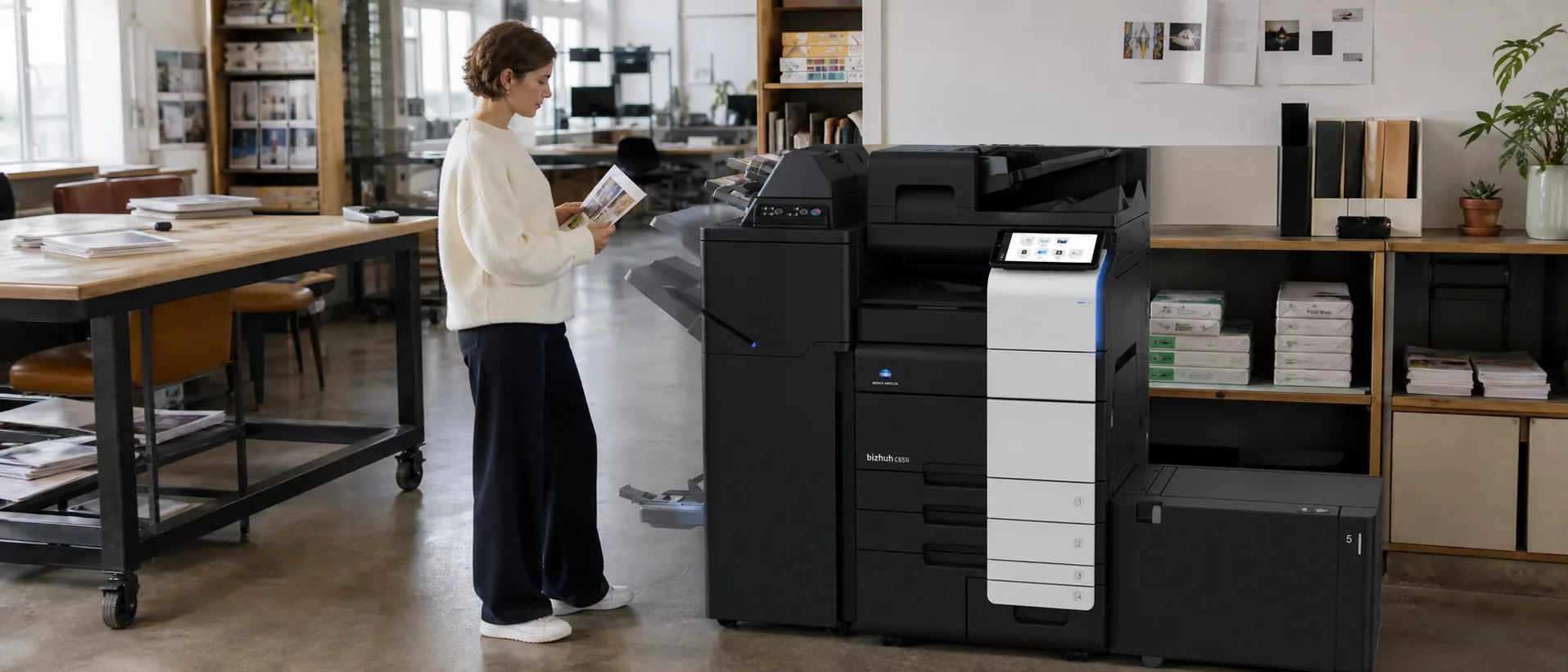
Which Konica Minolta commercial copier models should an office compare?
Konica Minolta bizhub C301i Konica Minolta bizhub C451i Konica Minolta bizhub C651i cover three practical workload levels. Start with paper size, real monthly volume, scan demand and finishing, then compare equal configurations and service terms.
Konica Minolta’s current bizhub One i-Series covers familiar A3 color buying points from 30 through 65 pages per minute. That lets an organization standardize controls and document workflows while matching each office to a realistic output class. The C301i, C451i and C651i form a useful 2026 shortlist for moderate, mainstream and busy departmental environments.
Konica Minolta does not publish audited national unit sales by individual bizhub model, so these are prominent current models to compare—not a claimed sales leaderboard. Price the exact device, accessories, service and term through the Konica Minolta copier quote form.
Quick comparison of three Konica Minolta office copiers
| Model | Speed and class | Best fit | Estimated configured price* |
|---|---|---|---|
| Konica Minolta bizhub C301i | 30 ppm in color and black-and-white A3 color workgroup multifunction copier | Small and midsize offices that need A3 paper, strong scanning and a modern shared interface. | $7,000–$12,000 configured purchase; roughly $200–$400 per month on a typical equipment lease |
| Konica Minolta bizhub C451i | 45 ppm in color and black-and-white A3 color departmental multifunction copier | Shared departments that need balanced printing, dual scanning, security and finishing. | $11,000–$20,000 configured purchase; roughly $325–$650 per month on a typical equipment lease |
| Konica Minolta bizhub C651i | 65 ppm in color and black-and-white High-speed A3 color departmental multifunction copier | High-volume departments with fast color, large paper capacity, scanning and advanced finishing needs. | $19,000–$33,000 configured purchase; roughly $575–$1,050 per month on a typical equipment lease |
*Ballpark planning ranges, not quotes or manufacturer list prices. Equipment condition, accessories, term, credit, installation, software, freight, taxes and service can materially change the actual proposal. Compare the same configured machine and assumptions through the commercial copier pricing request.
Konica Minolta bizhub C301i: benefits, features and price range
The bizhub C301i belongs in offices that need more paper and workflow flexibility than a desktop MFP but have moderate print demand. It can support client documents, ledger-size output and substantial scanning without paying for a faster engine that sits idle. Ask the provider to demonstrate the exact feeder, scan destinations and authentication method, since those daily tasks often determine whether users adopt the shared device.
Konica Minolta bizhub C301i Copier Features
- 30 ppm color and monochrome output
- Current bizhub One i-Series platform
- A3 color paper handling
- Mobile, cloud and configurable finishing support
How Konica Minolta bizhub C301i compares with peer models
Compare it with the Ricoh IM C3010, Sharp BP-50C31, Xerox AltaLink C8230 and Canon’s comparable imageFORCE C3100 configuration. Focus on the included feeder, paper drawers, finishing, security, uptime response and cost per page rather than assuming all 30 ppm A3 systems are equivalent.
Specifications reference the Official Konica Minolta bizhub One i-Series model announcement. Verify the exact current configuration and availability with the quoting provider.
Price the Konica Minolta configuration your office will use.
Include monthly volume, paper, scanning, finishing, security and service expectations.
Konica Minolta bizhub C451i: benefits, features and price range
The bizhub C451i is the most balanced general business choice in this three-model group. At 45 ppm it serves busy departments without automatically moving into a high-output price tier. The family’s dual scanning, paper expansion and finishing make it relevant for legal, education, healthcare, finance and corporate operations where paper and digital workflows meet at one device.
Konica Minolta bizhub C451i Copier Features
- 45 ppm color and monochrome output
- Dual scanning up to 280 originals per minute
- Maximum paper capacity up to 6,650 sheets
- 8 GB memory and 256 GB SSD in the family platform
How Konica Minolta bizhub C451i compares with peer models
Its peer set includes the Ricoh IM C4510, Sharp BP-50C45, Xerox AltaLink C8245 and Canon imageFORCE C3150. The Canon carries a five-ppm speed advantage, while all five brands vary in interface, scan workflow, finishing and dealer support. Use a common test file and equal service assumptions.
Specifications reference the Official Konica Minolta bizhub C651i/C551i/C451i specifications. Verify the exact current configuration and availability with the quoting provider.
Konica Minolta bizhub C651i: benefits, features and price range
The bizhub C651i extends the same platform into a genuinely faster departmental role. It is appropriate when multiple users create sustained demand, color work must stay in-house, or a centralized team relies on large scan batches and finished documents. Buyers should calculate peak output and the cost of slower queues before paying for 65 ppm; average monthly volume alone can hide the periods that create the business case.
Konica Minolta bizhub C651i Copier Features
- 65 ppm color and monochrome output
- Dual scanning up to 280 originals per minute
- Maximum paper capacity up to 6,650 sheets
- Multiple 50- or 100-sheet staple and booklet-finishing options
How Konica Minolta bizhub C651i compares with peer models
Compare it with the Ricoh IM C6010 or C7010, Sharp BP-70C65, Xerox AltaLink C8270 and Canon imageFORCE C5170. Peer speed varies from 60 to 70 ppm, but scan workflow, finishing, controller options and service response can outweigh that range. Normalize every accessory and contract term in the lease-versus-buy comparison.
Specifications reference the Official Konica Minolta bizhub C651i/C551i/C451i specifications. Verify the exact current configuration and availability with the quoting provider.
What changes a Konica Minolta copier’s real price?
A bizhub proposal may add paper, finishing, software, security or managed services beyond the base engine. Ask which functions are standard, which recur as subscriptions and how the dealer supports them. The office copier authority answer library can help resolve narrower questions before a demonstration.
The base engine is only one line in a usable commercial copier proposal. A faster document feeder, extra drawers, large-capacity paper deck, staple or booklet finisher, fax board, workflow software, print controller and data-security options can each change the installed total. Delivery conditions, electrical work, network setup, training and removal of the old machine should also be stated rather than left as assumptions.
A lease comparison needs the same discipline. Record term, payment, advance payments, documentation fees, annual increases, purchase option, return obligations and whether the service agreement is separate. Then normalize included black-and-white and color pages, overage rates, toner, parts, labor, travel and response commitments. The copier lease versus buy authority guide explains how to put those costs on one timeline.
Choosing a Konica Minolta Commercial Copier
- Measure ordinary and peak work.Use meter history, print logs, scan batches and deadline periods rather than a maximum duty cycle.
- Confirm the paper path.List every size, weight, envelope, label and finished document the office expects to run.
- Test a real workflow.Use representative files, scan destinations, user authentication and finishing on the quoted configuration.
- Normalize the service plan.Compare included pages, overages, annual changes, supplies, response and escalation.
- Document implementation.Name who owns delivery, networking, security, training, acceptance and later support.
A smaller model can be the strongest choice when it handles the peak without delaying critical work. A faster model can earn its payment when it replaces persistent queues, outside print spending or several poorly supported devices. Use the Office Copier Buyer’s Guide and related guidance on What happens at the end of a copier lease, How much does an office copier cost, Should I choose a color or black-and-white office copier and How long should an office copier lease be to define that requirement before requesting final prices.
Compare Konica Minolta copier prices and peer alternatives.
Describe the workload once so providers can quote relevant configurations.